Contents
Our quick picksHow we chose1. DREO White Energy-Saving DC Fan with Rem2. Desk Fan3. Honeywell Quiet Fan4. DREO Energy-Saving DC Fan, 120° Oscillat5. Dr. Prepare Desk Fan6. Dreo Grey Desk Fan with Thermostat7. JISULIFE Desk Fan8. Zanussi Black Desk FanUSB or mainsNoise on callsSize, tilt and clipsCleaning and safetyFAQsYou are working from a spare room or a corner of the bedroom, and by mid-afternoon the laptop is warm, the window faces the sun and you are sticking to the chair. A big floor fan blows papers about and is too loud for calls. A desk fan sits next to you, aims a steady breeze where you need it and takes up hardly any room on the desk.
Below are desk fans powered by USB, mains and rechargeable batteries, from small clip-on fans to larger tabletop models. After the picks, we explain power options, noise on calls, size and tilt, and how to choose between a fan for one person and a fan for a small room. The right desk fan is mostly about where you sit, how loud your work is and whether there is a socket nearby.
Our picks at a glance
- DREO White Energy-Saving DC Fan with Remote: best overall, £79.99
- Desk Fan: best budget, £15.99
- Honeywell Quiet Fan: best usb fan, £35.22
- DREO Energy-Saving DC Fan, 120° Oscillating Electric Cooling: best rechargeable, £109.99
- Dr. Prepare Desk Fan: best clip-on, £28.99
- Dreo Grey Desk Fan with Thermostat: best quiet for calls, £49.99
- JISULIFE Desk Fan: best with oscillation, £26.99
- Zanussi Black Desk Fan: best mini cooler, £22.99
How we chose
We compared fan size, power source, number of speeds, tilt range and stated noise, and gave extra weight to UK reviews that mention use on calls or next to a computer. Rechargeable models got credit for stated battery life. We have not used these fans ourselves, so the picks rest on specifications and what buyers report after living with them through a summer.

1.DREO White Energy-Saving DC Fan with Remote
DREO White Energy-Saving DC Fan with Remote is our pick for overall. Specs worth noting: size 28 ft, colour White. 49,237 buyers rate it 4.6 out of 5. £79.99, so you pay a bit more for the spec. You can see the full specs and photos on the DREO White Energy-Saving DC Fan with Remote page.
90° Oscillating 8 Speeds 4 Modes 8H Timer LED Display
DC Motor Quiet Standing Bladeless Floor Fans for Bedroom
If it is not quite right, we stock plenty more quiet fans.

2.Desk Fan
If you want the best budget, start here. 3,116 buyers rate it 4.4 out of 5. £15.99, one of the cheaper options here. Full details, sizes and photos are on the Desk Fan page.
Compare it with the rest of our desk fans.
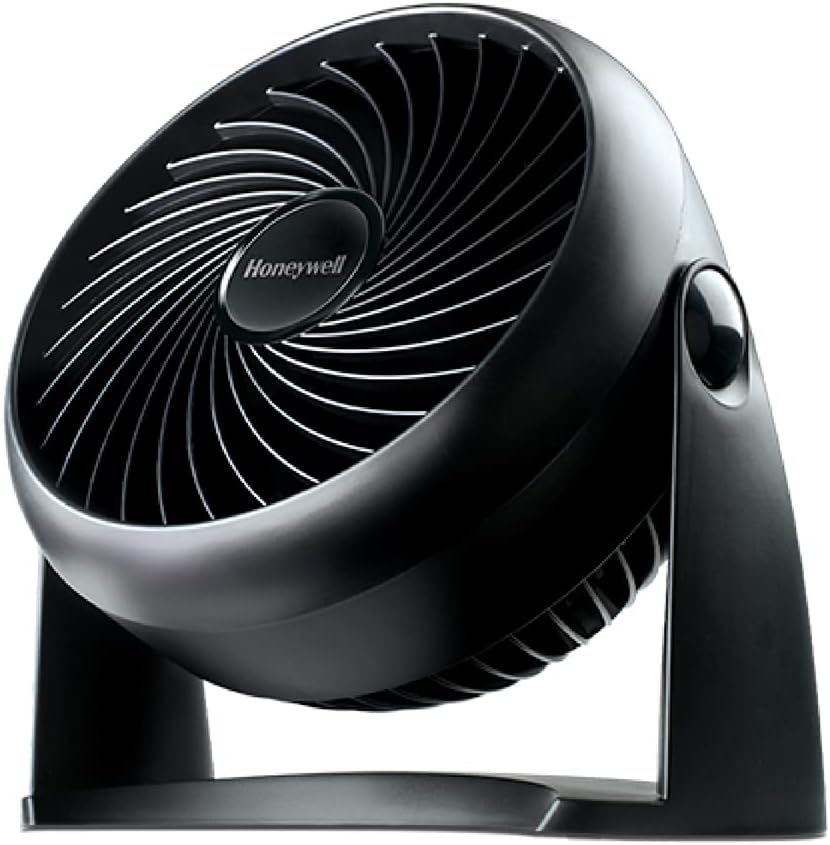
3.Honeywell Quiet Fan
This is the one we would point most people to for usb fan. 28,868 buyers rate it 4.5 out of 5. £35.22, one of the cheaper options here. Have a look at the Honeywell Quiet Fan for the full spec.
90° Variable Tilt
3 Speed Settings
If it is not quite right, we stock plenty more quiet fans.

4.DREO Energy-Saving DC Fan, 120° Oscillating Electric Cooling
If you want the best rechargeable, start here. 8,363 buyers rate it 4.8 out of 5. £109.99, so you pay a bit more for the spec. Full details, sizes and photos are on the DREO Energy-Saving DC Fan, 120° Oscillating Electric Cooling page.
9 Speeds & 4 Modes
8H Timer
If it is not quite right, we stock plenty more quiet fans.

5.Dr. Prepare Desk Fan
If you want the best clip-on, start here. 5,621 buyers rate it 4.3 out of 5. £28.99, one of the cheaper options here. Full details, sizes and photos are on the Dr. Prepare Desk Fan page.
Dual Air Circulation
110° Oscillation
If it is not quite right, we stock plenty more desk fans.

6.Dreo Grey Desk Fan with Thermostat
If you want the best quiet for calls, start here. Specs worth noting: size 10.5ft, colour Grey. It averages 4.6 stars from 2,656 reviews. £49.99, so you pay a bit more for the spec. Full details, sizes and photos are on the Dreo Grey Desk Fan with Thermostat page.
60° Adjustable Tilt
12H Timer
There are other options in our desk fans range too.

7.JISULIFE Desk Fan
If you want the best with oscillation, start here. It averages 4.5 stars from 2,860 reviews. £26.99, one of the cheaper options here. Full details, sizes and photos are on the JISULIFE Desk Fan page.
Compare it with the rest of our desk fans.

8.Zanussi Black Desk Fan
Zanussi Black Desk Fan is our pick for mini cooler. Specs worth noting: colour Black. 4,908 buyers rate it 4.2 out of 5. £22.99, one of the cheaper options here. You can see the full specs and photos on the Zanussi Black Desk Fan page.
Portable Desk Fan
3 Speed Settings
If it is not quite right, we stock plenty more desk fans.
Prefer to browse everything? Our full ranges of desk fans, desk and personal coolers and quiet fans have more sizes, finishes and price points than we could fit here.
USB or mains
USB fans plug into your laptop or a phone charger and draw very little power, which makes them cheap to run and easy to move. They are gentler, though, and some laptops cut USB power when they sleep. Mains desk fans move more air and suit hot rooms or bigger desks. Rechargeable fans are handy if you move between rooms or sit away from a socket, but check the stated run time on the speed you will use.
Noise on calls
If you spend hours on video calls, the microphone will pick up a fan that sits close and runs fast. Lower speeds are quieter, and a fan placed to the side rather than in front of the laptop is less likely to be heard. Look for several gentle speed steps rather than just two strong ones. Reviews from people who work from home often say whether colleagues could hear the fan, which is a useful check.
Size, tilt and clips
A small 4 to 6 inch fan suits one person at arm's length. A larger 8 to 12 inch desk fan can reach you from the back of the desk and cool a bit of the room as well. Tilt matters, since you want the breeze on your face, not on your papers. Clip-on fans attach to a shelf or monitor arm and free up desk space. Check the clip opens wide enough for your shelf edge.
Cleaning and safety
Small fans gather dust fast, especially near a computer. Look for a front grille that unclips or twists off so you can wipe the blades. If children use the room, a tight grille matters more than on a high floor fan. For rechargeable models, charge with the cable supplied or a reputable adapter, and avoid leaving them charging under papers or soft furnishings on a hot day, and unplug it once full.
Frequently asked questions
Will a USB fan work from my laptop?
Usually, yes. Most USB fans run happily from a laptop port. Some laptops limit power from the port or switch it off when the lid closes or the machine sleeps, so a USB wall adapter is a more reliable option if the fan keeps stopping.
Is a desk fan enough to cool a home office?
It cools you rather than the room. A desk fan moves air across your face and arms, which helps you feel cooler while you sit. If the whole room is very hot, combine it with shutting blinds during the day and opening windows in the evening, or consider a larger fan.
How long do rechargeable desk fans last on a charge?
It depends on the battery and the speed. Makers usually quote run times on the lowest setting, so expect less on higher speeds. Check the stated time on the setting you plan to use and whether the fan can run while it charges, which helps on long days.
Will a desk fan be heard on video calls?
It can be, especially at close range on a high speed. Use a low setting, place the fan to one side of the laptop rather than behind it and test with a colleague or a quick recording. Many video call apps also have noise suppression that filters steady fan hum.
Can I leave a USB fan running all day?
Yes, USB fans draw very little power and are designed for long use. Keep the cable tidy so it does not get trapped or bent sharply, and give the blades a wipe now and then. Unplug it when you finish work rather than leaving it running in an empty room.